
0-1 Product Case Study
Pax Travel Companion
By 2026, research shows that over 11 million American seniors face travel-limiting disabilities. An AI-powered robot and app companion designed to help them navigate airports independently.
By 2026, research shows that over 11 million American seniors face travel-limiting disabilities. An AI-powered robot and app companion designed to help them navigate airports independently.
Over 11 million American seniors face travel-limiting disabilities, with 70% forced to reduce their daily activity due to physical barriers. Beyond elders, many people with mobility, vision, hearing, or cognitive challenges experience stress navigating complex transportation environments such as airports, spaces that are crowded, overstimulating, and heavily dependent on technology.
Our team selected this topic driven by curiosity to explore how design could support the independence of elders and anyone with mobility challenges.
“How Might We reduce the compounding cognitive friction of long-distance travel for seniors with health constraints, so that they can experience the world by themselves?”
Elders often avoid traveling independently not because they are physically unable to, but because they are afraid of getting lost, tired, or needing help and becoming a burden to others. Existing navigation tools focus on efficiency rather than clarity, reassurance, and trust, making them intimidating for elderly users to adopt.
Developed collaboratively with MJ and Hannah as part of the IxD Design Research course at California College of the Arts. I took on a strong leadership role in defining project direction, structuring research activities, and synthesizing insights into actionable design decisions.
Understand how elders and accessibility-needs travelers experience independent travel in stressful, unfamiliar environments, and explore how an AI-powered companion system like Pax could reduce those barriers.
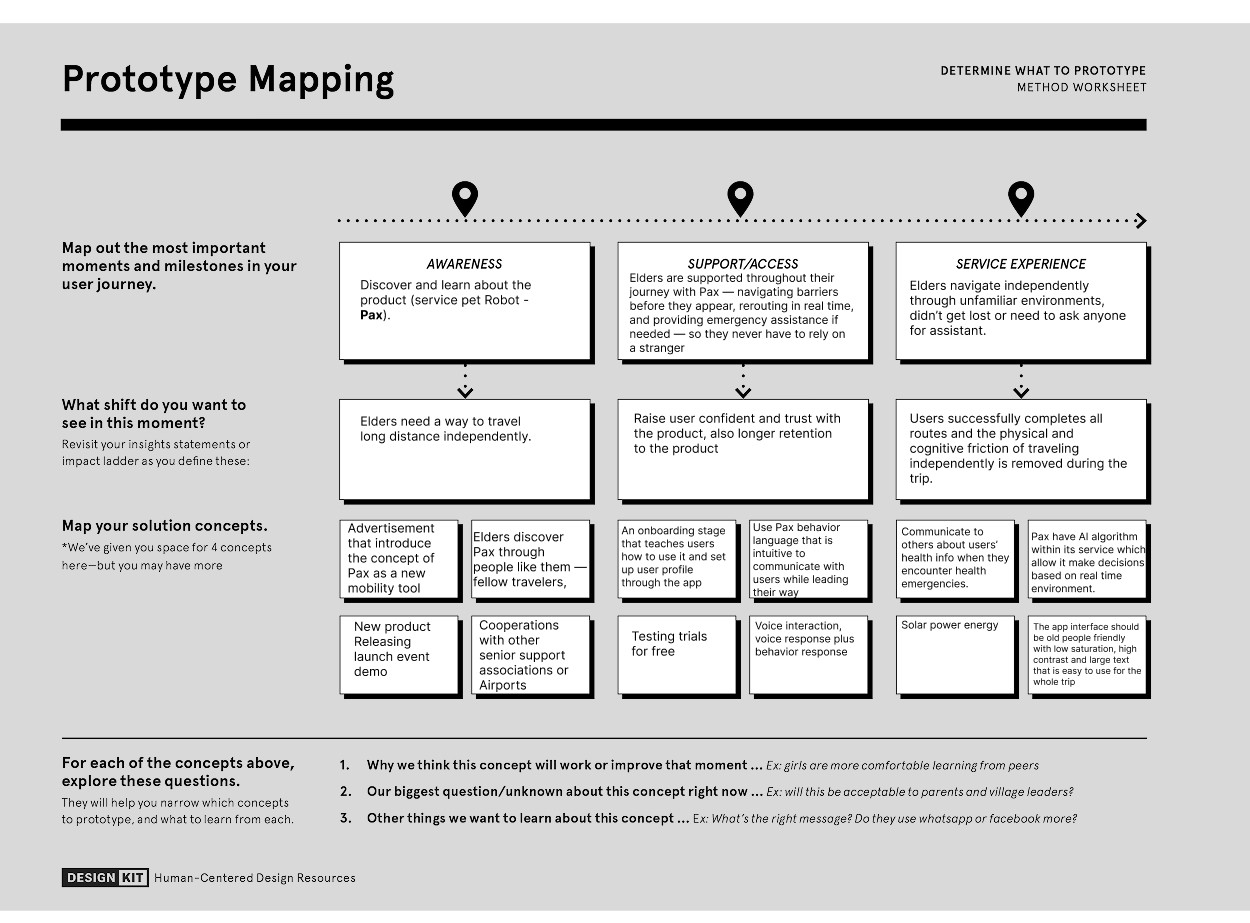
Elder travelers are guided by Pax: a calm, pet-like companion offering simple, landmark-based directions, energy-aware routing, and transparent explanations.
Based in Austin, TX. Background in computer science with significant exposure to robotics, specifically on the modeling side.
Over 10 years of experience in enterprise product design.
Works at a pharmaceutical company focused on improving healthcare access in Africa.
What we learned: real-world travel is messy, so edge cases matter most: crowds, urgency, device failure. Simplicity should come from controlling information, not removing it. Accessibility (vision, hearing, cognitive load) must be designed in from the start. Trust and reliability matter more than features; users need predictable, safe behavior.
After brainstorming with the Crazy 8's method, our team decided on creating an intelligent robot named Pax: a warm, supportive "care pet" travel companion paired with a mobile app. Pax monitors the user's health, navigates complex processes like airport check-in with simple landmark-based directions, suggests rest at any time, and reduces tech anxiety through accessibility-first UI that users can self-adjust for hearing, vision, or voice control needs.
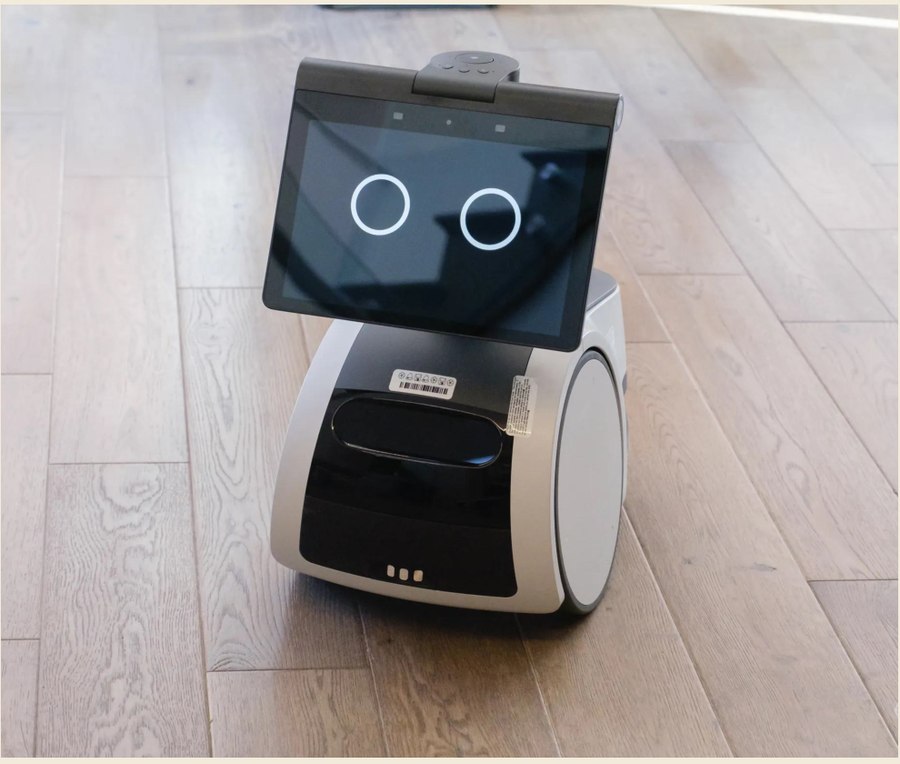
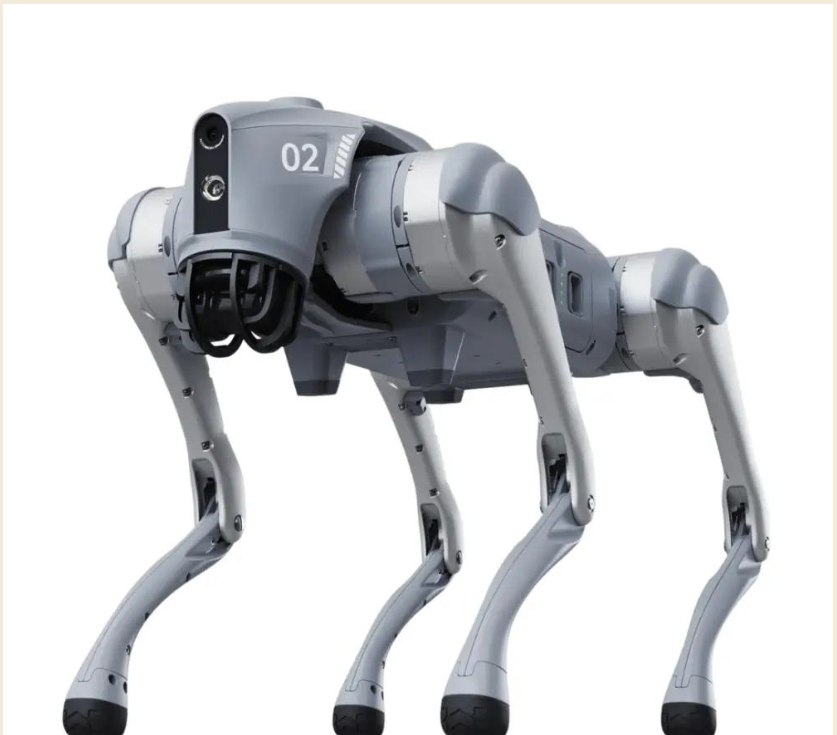
An AI-powered travel companion that reduces stress and confusion for elderly travelers, built for accessibility, confidence, and independence.
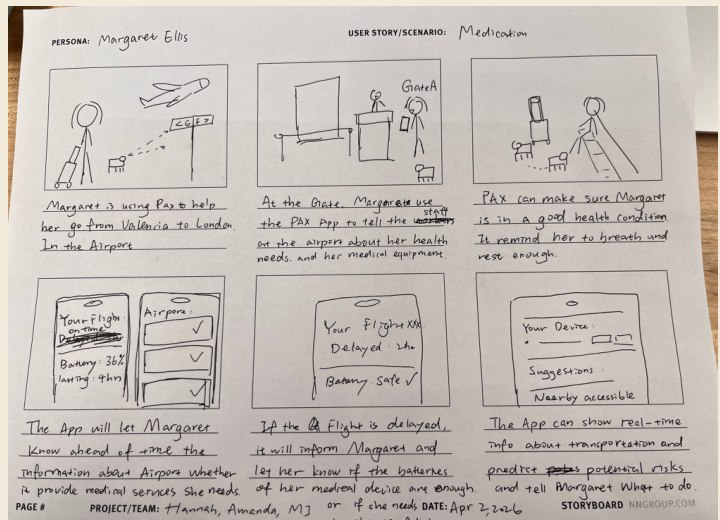
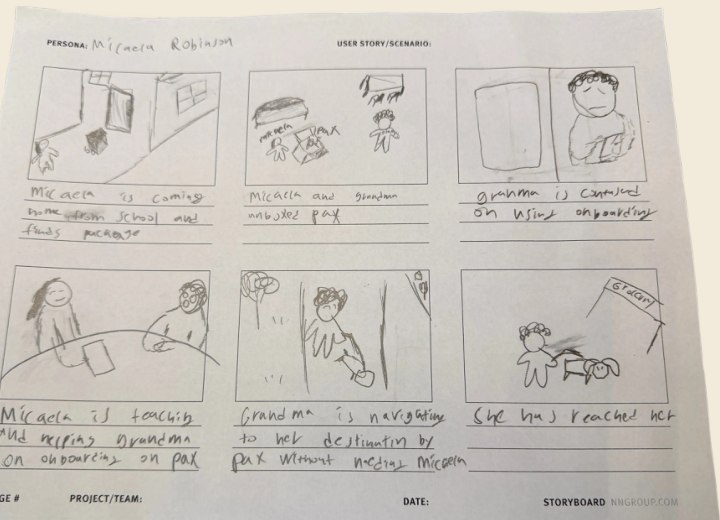
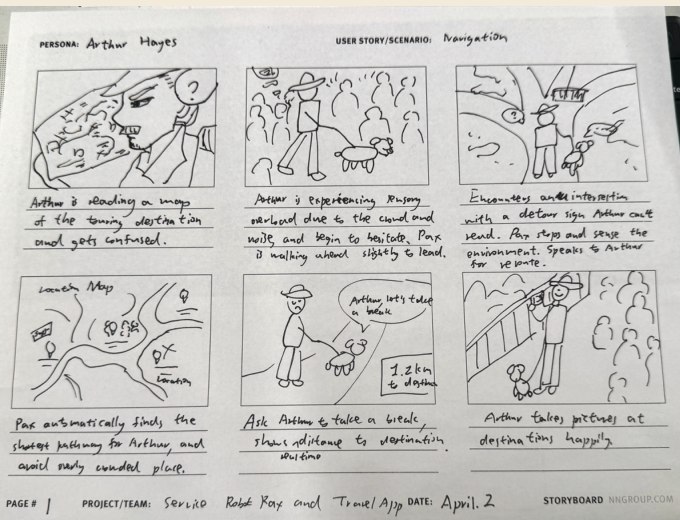
"People still struggle with navigation even with apps." Concept 3 was the clear favorite: voice-interactive, landmark-based navigation, seen as helpful beyond just elderly users, valuable in unfamiliar environments, and "thoughtful and safety-oriented."
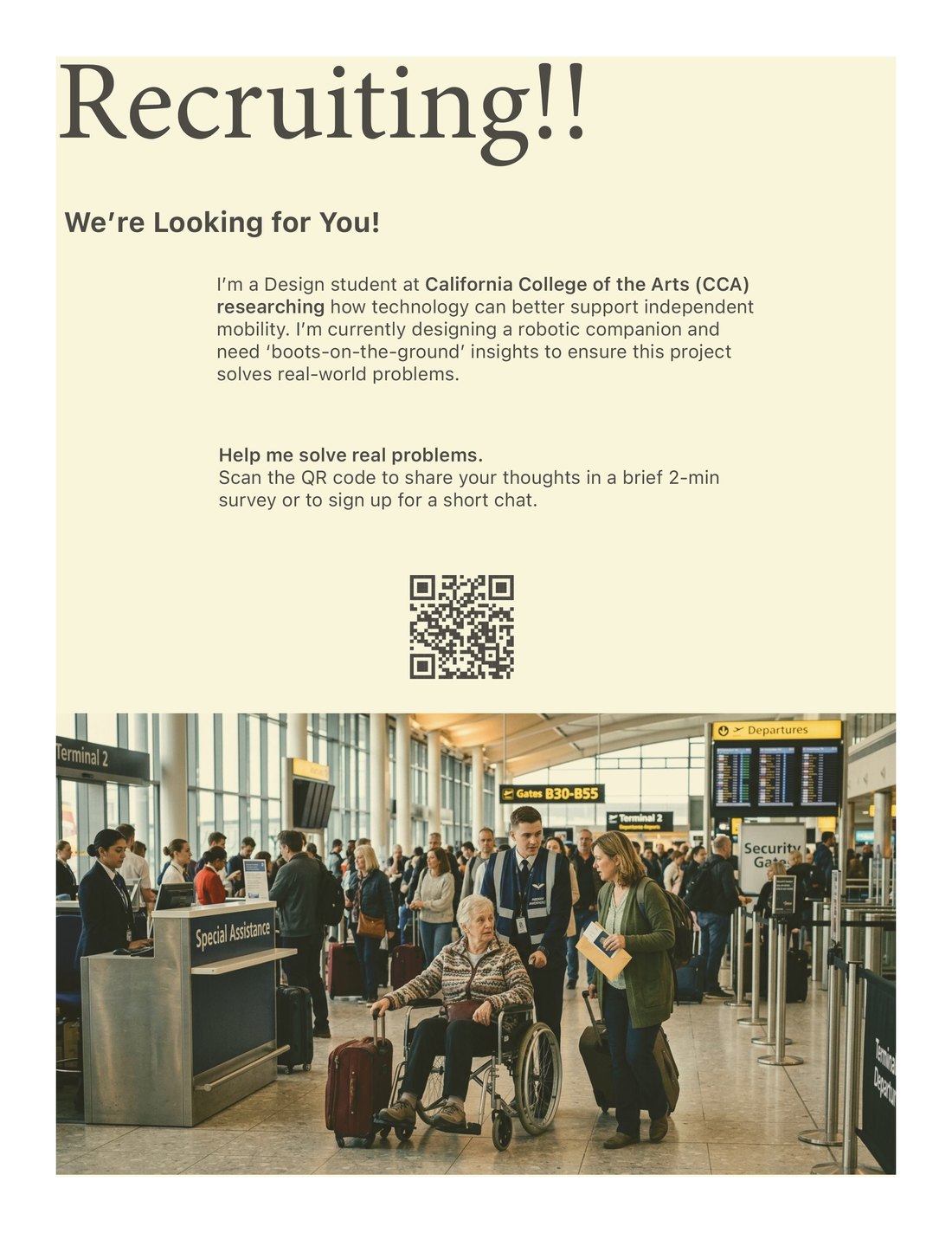
We recruited via screeners shared on LinkedIn, Reddit, X, and Instagram, plus physical posters around the neighborhood. Recruiting on-target participants proved harder than expected. After responses skewed toward younger, tech-fluent respondents, we expanded criteria to include people with mobility constraints regardless of age. Only George met the original 65+, low-tech-exposure profile.
15 responses and 6 recruited
LinkedIn · X · Facebook · Reddit · Instagram

6 participants
Recruited via Google Form screener
30-min moderated sessions
Remote via Zoom · think-aloud
3 core tasks
Onboarding · Wayfinding · Amenities
Record → Tag → Map

Former Qatar Airways flight attendant, high airport fluency.

Travels ~once/year; very low tech exposure; familiar with SFO.

Startup CFO in San Francisco.

International student; moderate tech use; travels twice/year.

Recently injured arm; travels often, usually with someone.

Stay-at-home mom, usually travels with children.
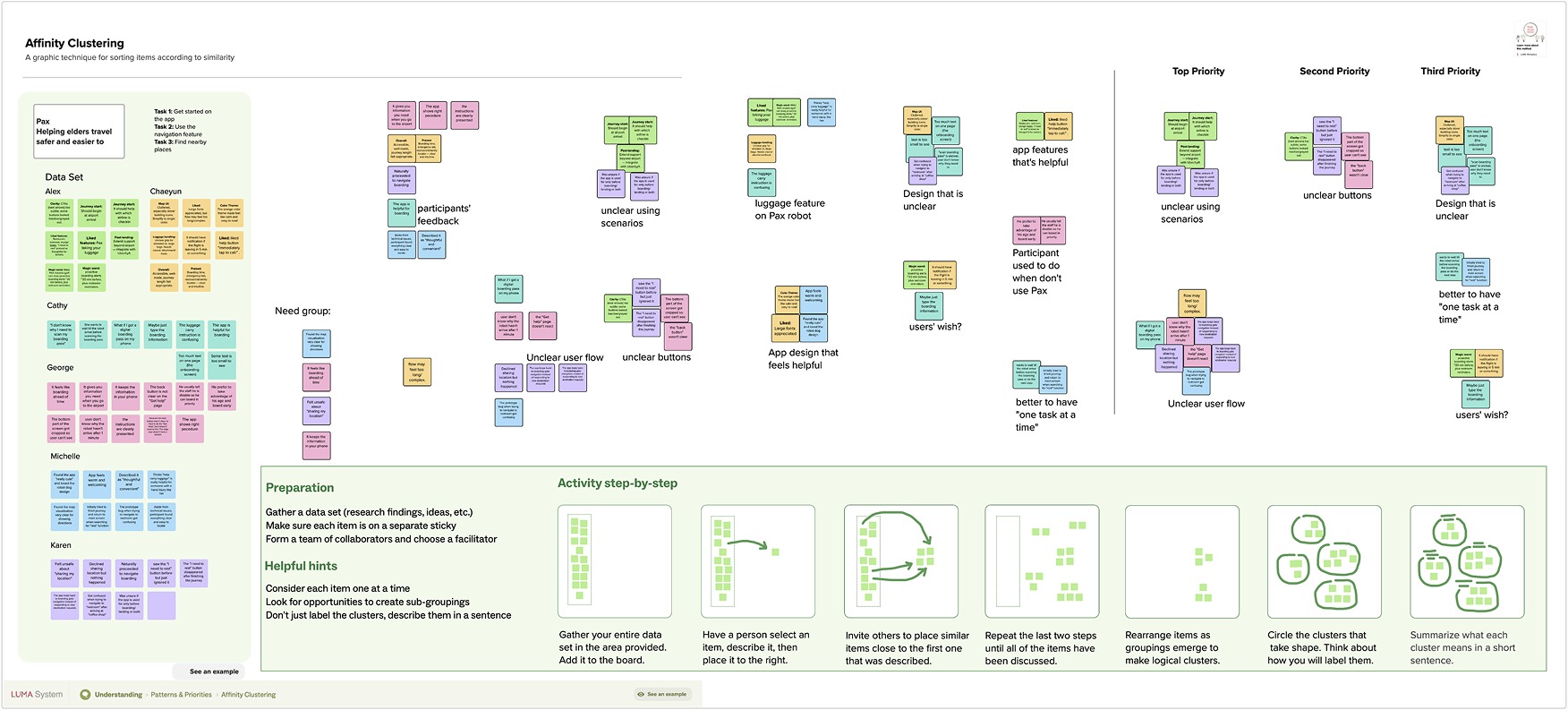
We used the AI tool Condens to help sort out the interview contents.
Imagine you have just arrived at San Francisco International Airport and downloaded the Pax Travel Companion app. Show me how you'd begin using it.
Your flight is in three hours. You need to get to the boarding gate now. How would you use the app to get there?
You'd like to find something to eat or somewhere to sit down nearby. Show me how you'd do that in the app.
"The app is helpful for boarding."
Cathy"Thoughtful and convenient."
Michelle"Especially if I'm going to an airport now, because my hand got a very serious injury, this can really help me."
Michelle"I don't know how that robot can handle, or how the robot can have a hook so that it could put the luggage onto Pax."
ChaeyeonThe feature is desirable, but participants couldn't picture the physical interaction: they needed to see what kinds of luggage Pax accepts and how the attachment works.
"They go in and they can just call Pax, and then Pax will guide them to the right counter. Because older people don't do mobile check-ins. They mostly want to talk to people, they want to check in their bags and all that."
Alex“All the call to action buttons were located on the bottom and what I see here is I need to rest, which is, in gray, so it doesn't look like it's activated”
Alex
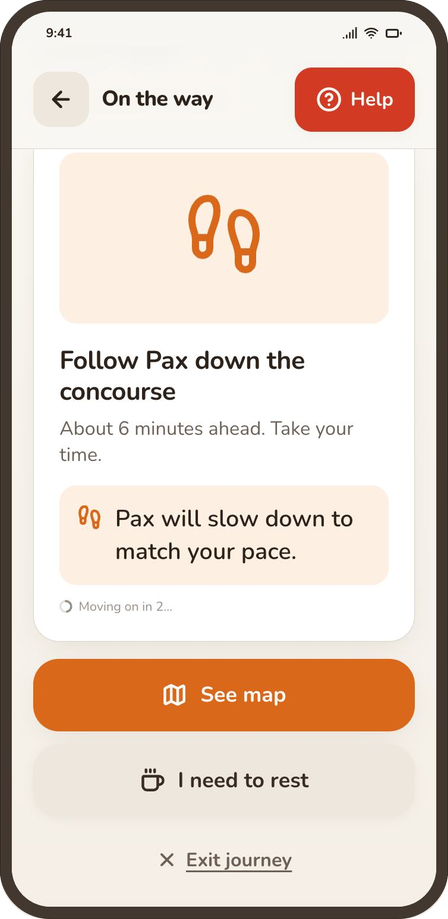
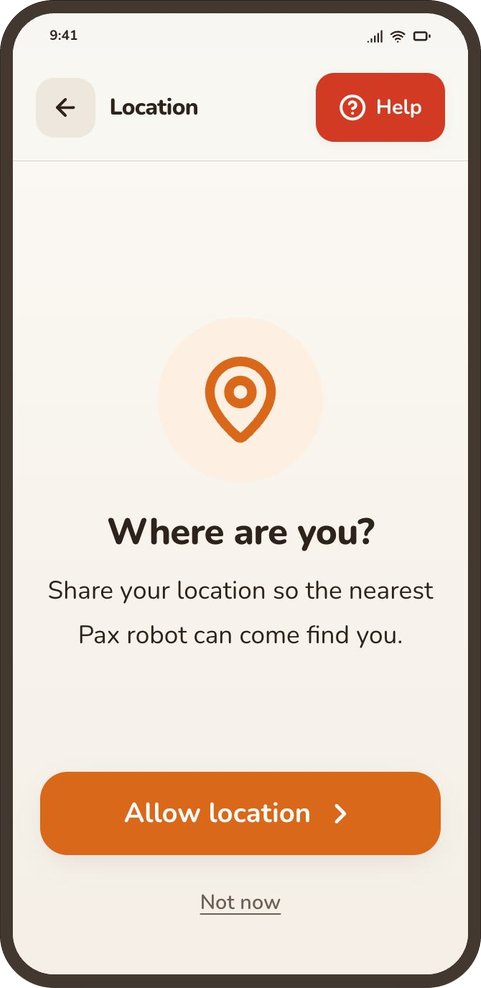
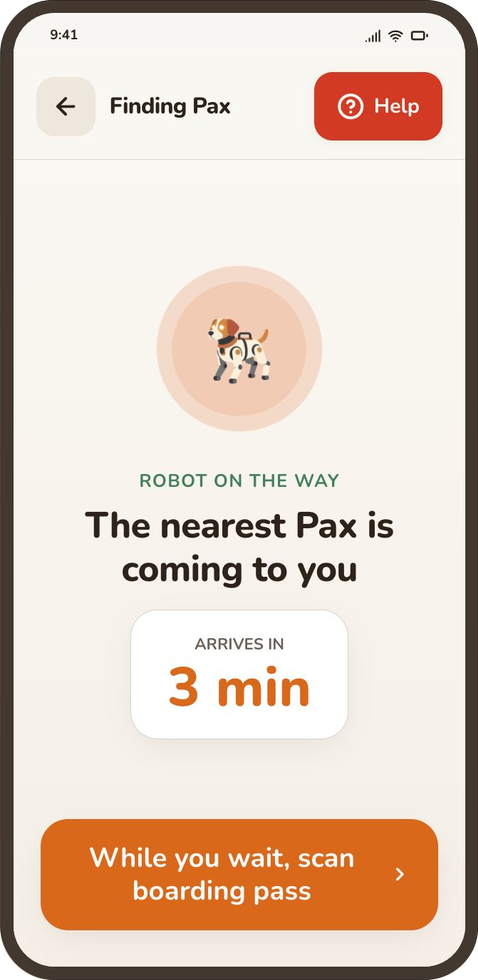
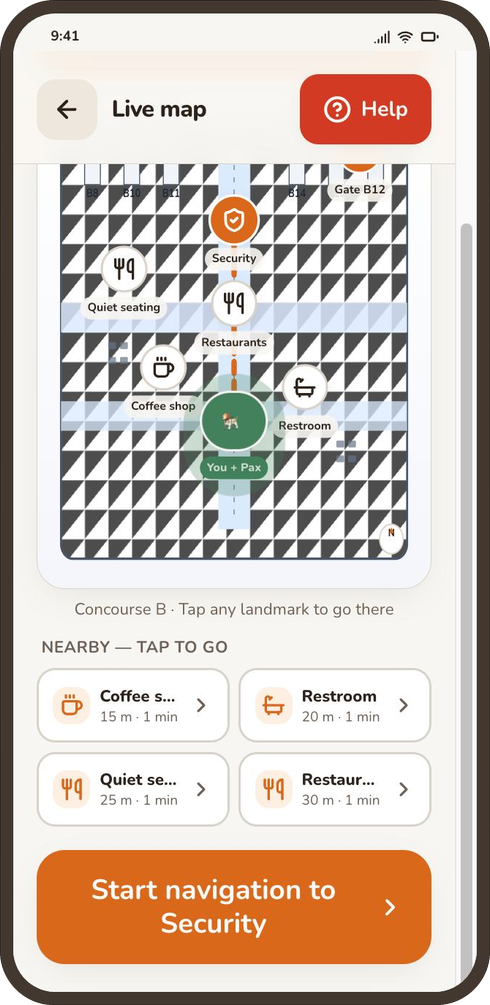
None of our six participants noticed it during their session, and it disappeared entirely after the journey ended. We're giving it stronger, higher-contrast color so it stands out for older eyes, aiming for WCAG AAA contrast (7:1), the accessibility standard recommended for elderly users.
Change it to "Decline and exit the app," or ask again before proceeding to the next navigation step, and redesign other steps to ensure edge cases are handled appropriately.
Elderly users with higher cognitive load struggle when the interface asks them to handle more than one action at a time. Sequence tasks linearly so each step resolves before the next is introduced.
The current visual language is too dense to scan and too small for elderly readers. Break complex instructions into simple, action-led steps, and increase body text to 18pt minimum.
We assessed product-market fit using Sean Ellis's framework, which uses the share of "very disappointed" responses to product loss as a 40% benchmark for PMF. 14 people completed the survey, though the sample skews younger and design-adjacent relative to Pax's primary target users, elderly airport travelers.
Generally, a product is considered to have achieved Product-Market Fit if 40% or more of users respond with "Very Disappointed."
At 14.3%, Pax has not yet reached the PMF threshold. However, the high volume of "Somewhat Disappointed" users is a positive indicator of potential.
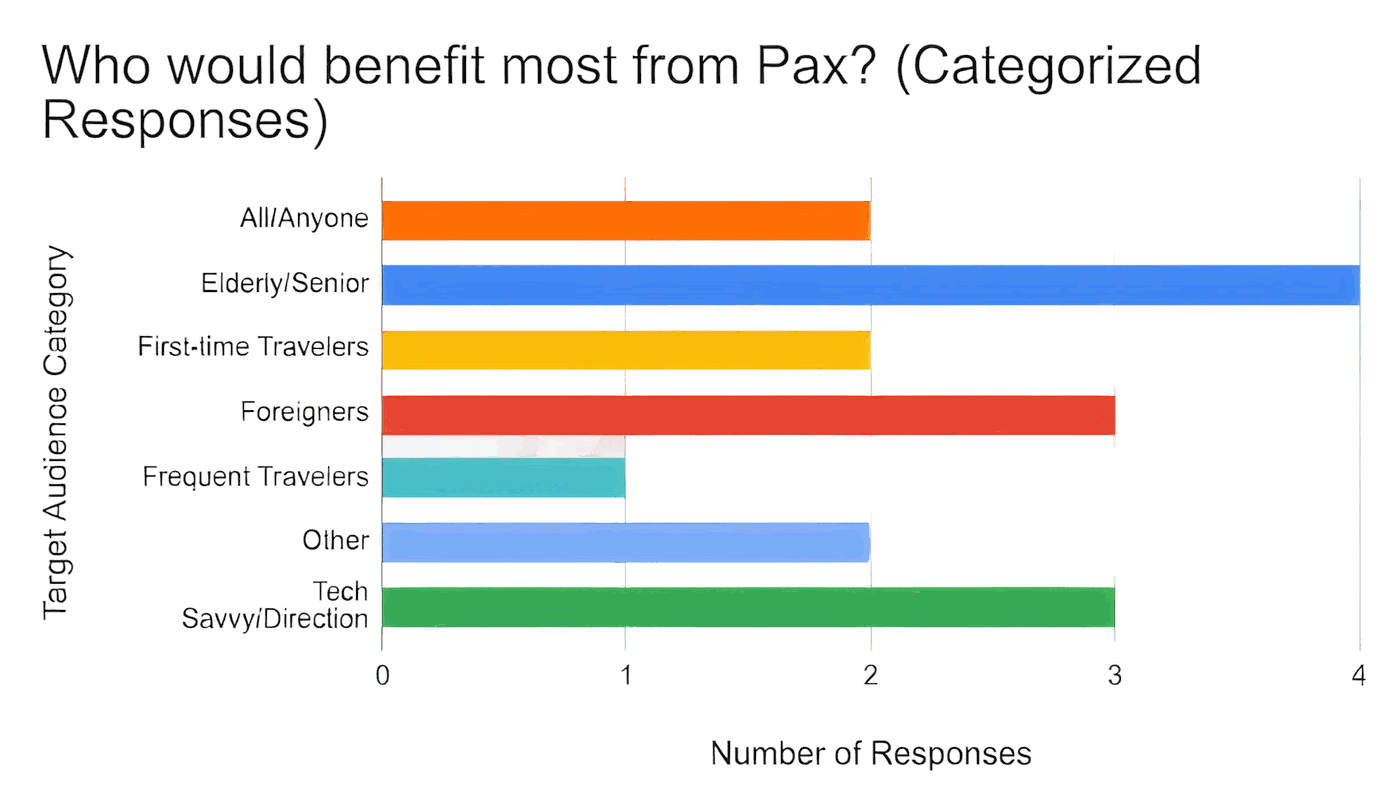
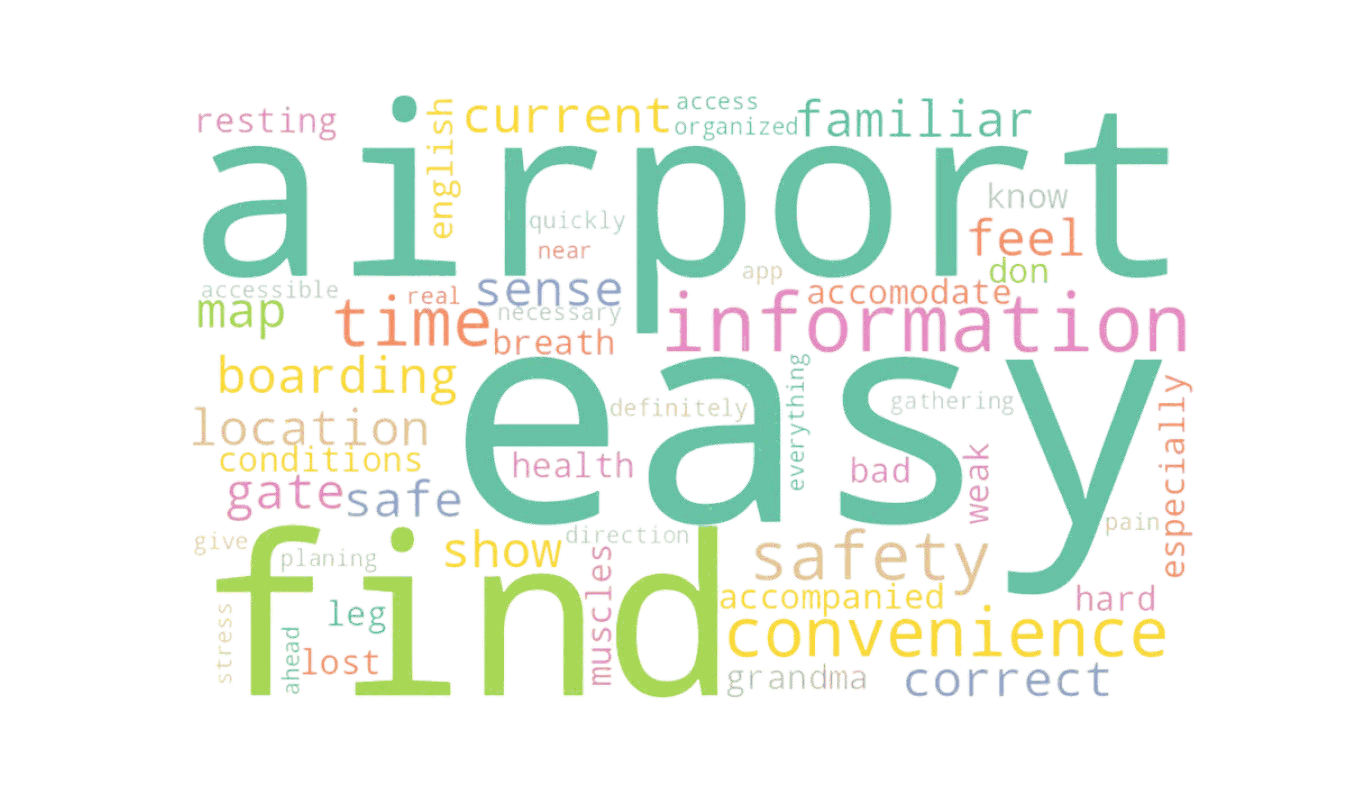
Pax's primary value proposition is Effortless Way finding.
Users perceive the app as a tool that converts airport anxiety into a sense of safety and physical ease.
Physical Accessibility helping users manage their health and energy levels during travel.
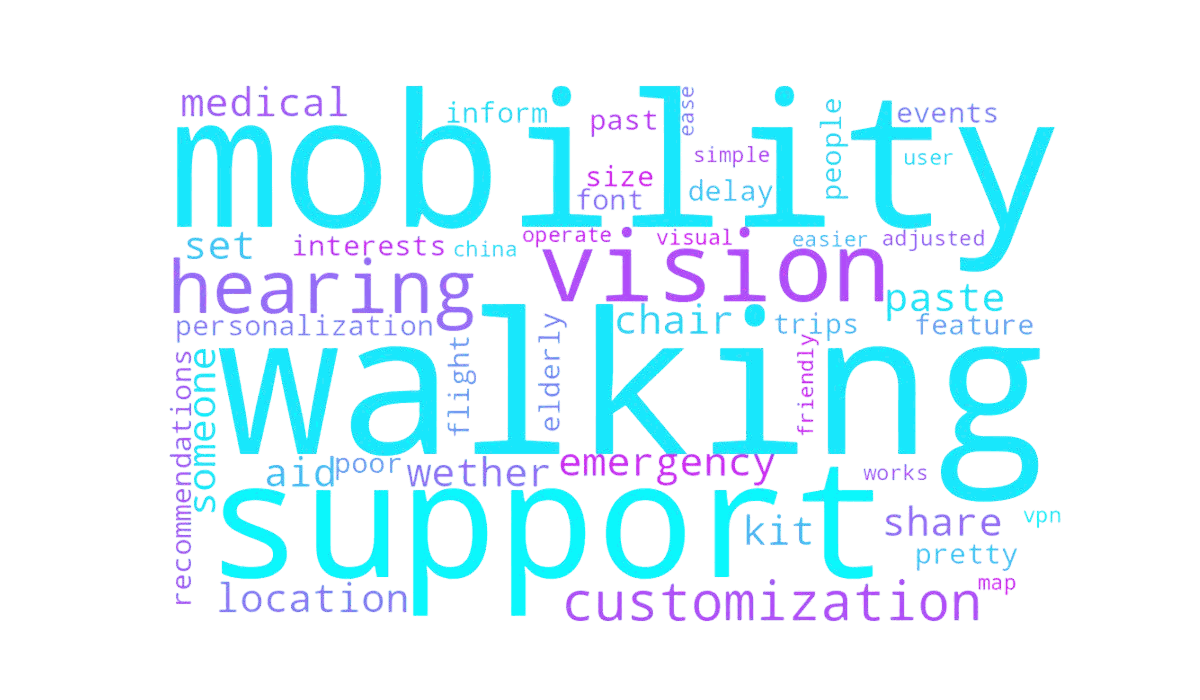
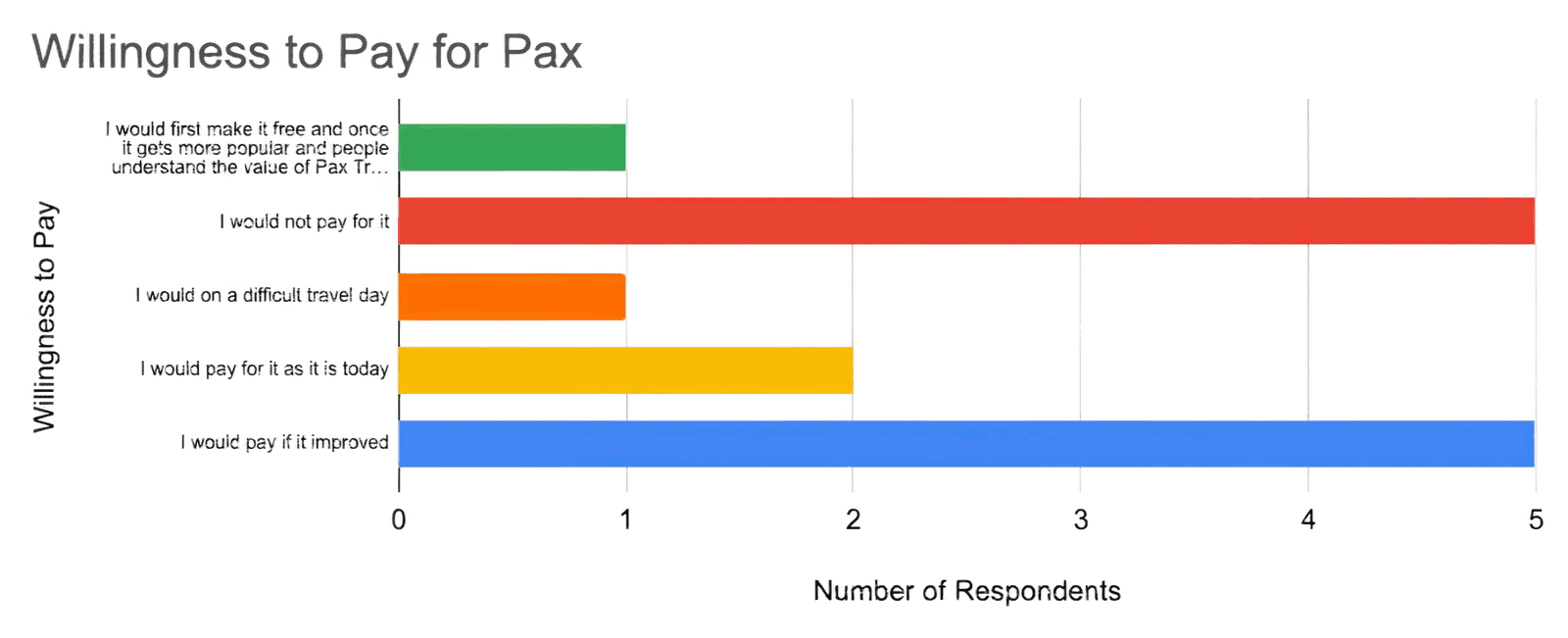
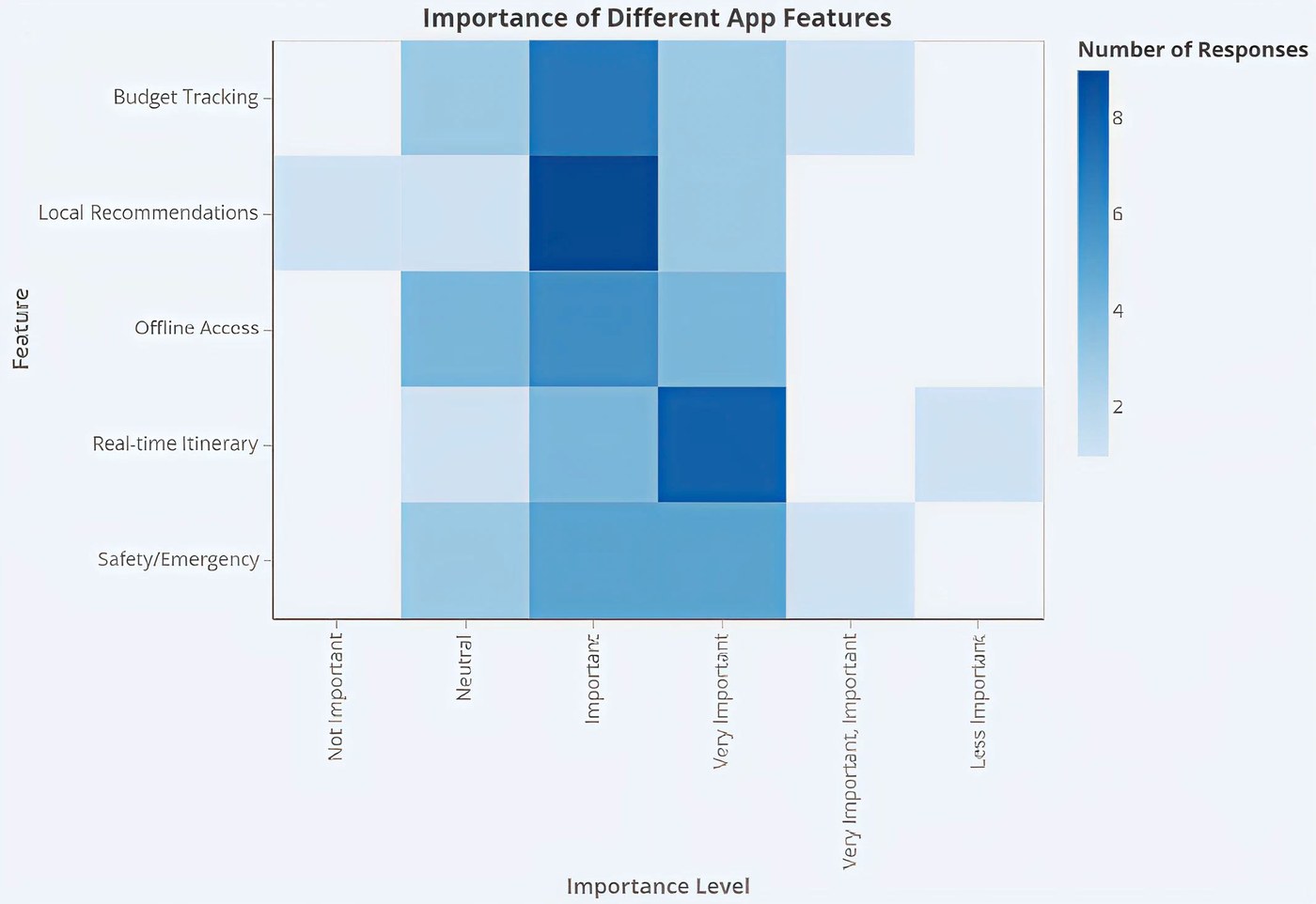
Scaled importance in order from high to low:
Ship a v1 accessibility kit: adjustable text size, high-contrast mode, screen-reader compatibility, and simplified navigation. Add mobility-aware routing (low-walking paths, elevator prioritization), multimodal voice + visual guidance, and a "Personalized Needs Profile" during onboarding.
Center the MVP on airport navigation, complex-environment wayfinding, and transit-stress reduction. Defer general travel use cases. Invest in real-time update reliability and offline mode for airport maps and boarding passes.
Hold pricing experiments until after the accessibility kit and airport-MVP scope are shipped, then re-test willingness-to-pay with a sample that includes elderly travelers, the population most likely to feel the pain Pax solves.
This project challenged our team to explore a completely new product combining AI, accessibility, navigation, and emotional reassurance. One of the biggest successes was realizing the problem was not simply "getting lost," but the fear older adults experience around becoming a burden to others while traveling independently, an insight that shifted Pax from a navigation tool into a confidence-building travel companion.
One of the biggest challenges was recruiting elderly participants with low technology confidence; many ended up being younger proxy users, which limited our ability to fully validate assumptions around trust and learnability. Early versions of Pax also tried to solve too many problems at once: navigation, health monitoring, and luggage support. That was before we learned the importance of narrowing the MVP to the highest-value moments.
Personally, I learned a great deal from taking on a leadership role throughout: arranging group activities, facilitating testing sessions, recruiting participants, and guiding the overall UX direction. If I continued this project, I would prioritize recruiting more representative elderly users earlier, and spend more time prototyping the physical interaction between Pax and the user.
©2026 Amanda Yu. All rights reserved